
Resources

My Aged Care – Assessor Portal User Guide 7 – Completing a support plan and support plan review
This guide helps aged care needs assessors to complete support plans and support plan reviews in the My Aged Care assessor portal.

My choices, my decision, my aged care communications toolkit
This toolkit provides materials to help aged care providers, community groups and advocates communicate with older people, their families and carers on the benefits of safe, high-quality care, rights and protections, clear information, choice and decisions, continuous improvement, advocacy.

Integrated Assessment Tool (IAT) User Guide
This guide is for assessment organisations. It outlines the information you must consider and record when conducting home support assessments and comprehensive assessments using the Integrated Assessment Tool (IAT).

My Aged Care – Application for Emergency Residential Care or Residential Respite Care Form
This form is for approved providers who want to apply for residential care or residential respite care.

National Aged Care Advisory Council communique – 10 June 2026
The National Aged Care Advisory Council met on 10 June 2026 to discuss aged care reform priorities, including access, sustainability, consumer protections and implementation issues.

Council of Elders Communique 17 and 18 June 2026
This meeting minute provides a summary of discussions between the Council of Elders and the Minister for Aged Care and Seniors on discussions on aged care reform, service access, affordability, rights, consumer protections and future priorities.

My Aged Care – Service and Support Portal user guide – Part 1: Administrator functions
This user guide gives instructions on how to use the My Aged Care service and support portal, focussing on administrator functions for all programs.

My Aged Care – Service and Support Portal user guide – Creating service delivery outlets and adding service information
This guide explains how to create and maintain information about service delivery outlets using the My Aged Care Service and Support Portal.
My Aged Care – Service and Support Portal: An update to your client records in My Aged Care Service
This User Guide explains how to update a client record in My Aged Care by setting the Service End Date and Reason for cessation when the record is no longer correct or relevant.

My Aged Care – Assessor Portal User Guide 4 – Navigating and updating the client record
This guide explains to aged care needs assessors on how to find and update various details in My Aged Care client records, using the My Aged Care assessor portal.

My Aged Care Service and Support Portal user guide – Recording and updating client service delivery information
This guide explains how to enter and update service delivery information in the My Aged Care client record.
My Aged Care Service and Support Portal user guide – The client record
This guide explains how to search and view client record information in the My Aged Care Service and Support Portal.

Aged Care Assessment Manual
This manual is for Assessment Organisations. It guides assessors on using good practices in the assessment of older people’s support needs and their eligibility for Australian Government–subsidised aged care services.

My Aged Care – Assessor Portal User Guide 6 – Completing an assessment
This guide helps aged care needs assessors to use the Integrated Assessment Tool (IAT) access and complete an assessment in the My Aged Care assessor portal.
My Aged Care – Assessor Portal User Guide 8 – Referring for services
This guide helps aged care needs assessors refer older Australians for service recommendations made in the client’s support plan, based on the client’s preferred service provider and location preferences in the My Aged Care assessor portal.

My Aged Care – Assessor Portal User Guide 9 – Tasks and notifications
This guide helps aged care needs assessors understand the tasks and notifications feature of the My Aged Care assessor portal.
My Aged Care – Assessor Portal User Guide 10 – Assessment delegate processes
This guide helps assessment delegates complete the decision process in the My Aged Care assessor portal.

My Aged Care – Assessor Portal User Guide 12 – Managing delegate roles
This guide explains how assessment organisation staff can apply to add, cease or replace Delegate roles in the My Aged Care assessor portal.

My Aged Care – Assessor Portal User Guide 11 – Assessment delegate support role
This guide explains to assessment organisation staff about the administrative functions that can be performed in the assessment delegate support role in the My Aged Care assessor portal.

My Aged Care – Assessor Portal user guide for Residential Aged Care Funding Assessor team leaders
This guide explains how Residential Aged Care (RAC) Funding Assessor team leaders can perform their function in the My Aged Care assessor portal.
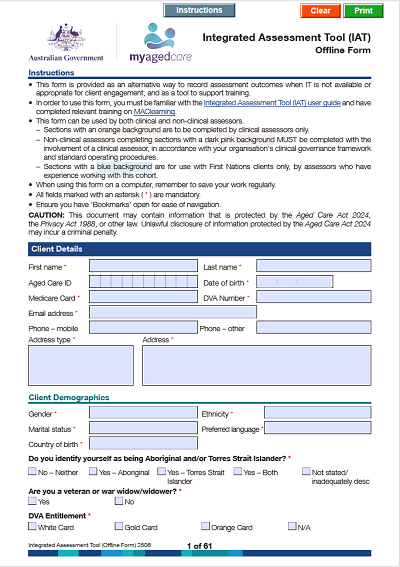
Integrated Assessment Tool (IAT) Offline Form
The IAT Offline Form is to be used by assessment organisations. This form is provided as an alternative way to record assessment outcomes when IT is not available or
appropriate for client engagement, and as a tool to support training.
appropriate for client engagement, and as a tool to support training.

Aged Care Assessor App – Sideloading files
Aged care assessment organisations can distribute the Aged Care Assessor Application installation files, so their IT Administrator staff can manually install (sideload) the app on a Windows device for assessors.
Aged Care Assessor Application User Guide
This user guide gives assessors instructions on how to use the Aged Care Assessor Application.

My Aged Care – Service and Support Portal user guide – Part 2: Team leader and staff member functions
This guide explains to team leaders and staff members how to use the My Aged Care Service and Support Portal.

My Aged Care – Assessor Portal user guide for Residential Respite Classification Referrals (for assessment organisation team leaders)
This user guide outlines how assessment organisation team leaders interact with the My Aged Care assessor portal to manage Residential Respite Classification referrals.
Date last updated: